
Crafto
Kutumb AppArt & Design
4.6514.00 Reviews
- Version
- 11.2.2
- Installs
- 100.00M
- Age Rating
- Everyone
Screenshots
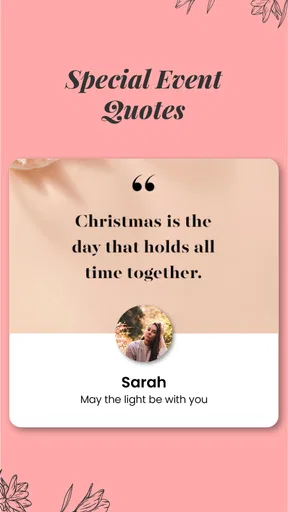
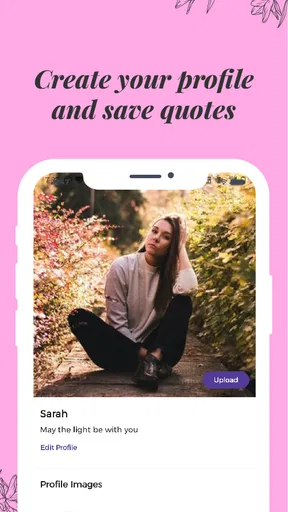
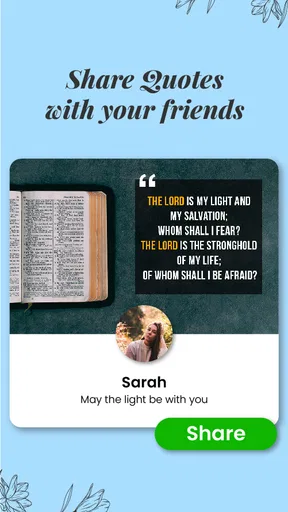
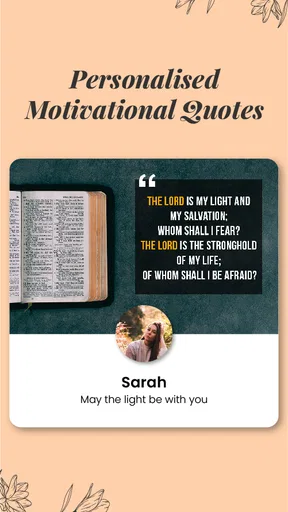
Our Review of Crafto
 Analysis by Appyee
Some apps earn a place in my routine by making one small task easier. Crafto takes a different route: it is an art and design app built around pairing quotes with a person’s name and photos. That focused idea can turn a familiar image into something more personal, whether I want a quick greeting to share or a visual reminder for myself. I find the appeal less about elaborate editing and more about having a ready-made starting point when I want a designed result without building one from scratch.
A personal touch without starting from a blank page
The name-and-photo approach is what gives Crafto its character. A quote can feel generic on its own; adding a name or a photo makes the finished piece feel aimed at someone specific. That is useful when I want to send a thoughtful message but do not have the time or inclination to open a full design editor, choose a canvas, and arrange every detail myself. The trade-off is that a guided format gives me less freedom than a blank canvas, so it suits quick, personal compositions better than highly controlled design work.
I would treat the app as a shortcut for making an ordinary image feel considered, not as a replacement for a dedicated graphics tool. If I were preparing a polished brand asset or needed exact control over typography and layout, I would rather use a more flexible editor. For casual sharing, though, a purpose-built quote workflow can remove several decisions that otherwise get in the way.
How I would use it in an ordinary day
Picture a family birthday approaching while I am between errands. I already have a photo I like, but sending it by itself feels a little flat. Crafto’s central idea gives me a way to combine that image with a short quote and the recipient’s name, then share something that feels more deliberate than a plain message. The value is practical: I can focus on choosing words and a photo instead of learning a complicated design interface.
There is also a quieter use for the same format. I might make a quote image for my own phone or save a design idea for later, rather than sharing every result publicly. That makes the app relevant to people who enjoy visual reminders as well as people who regularly send greetings. Before choosing a photo, I would think about how it will look behind text: a busy background can compete with the words, while a simpler image is usually easier to read.
Where it fits among design apps
Compared with a general-purpose design app, Crafto’s appeal is its narrow purpose. Broad editors give me more room to adjust a composition, but they also ask me to make more choices and spend longer arranging elements. A quote-and-photo app can be more convenient when the goal is a quick personal graphic. On the other hand, if I need custom dimensions, precise brand consistency, or a layout that does not fit a ready-made style, the broader editor is the better tool.
I would also distinguish it from simply placing text over a photo in a basic image editor. That manual option may be enough for a one-off message, but it puts the design decisions on me. Crafto is most useful when its prepared, quote-led approach saves time without making the result feel impersonal. It is not automatically the right choice for every image; the best fit depends on whether I value speed and a personal touch more than detailed control.
Small choices that improve the result
My first practical tip is to choose the photo before settling on the quote. The image sets the mood and determines how much visual space is available, so choosing words to match it can make the final composition feel more coherent. I would keep the message short when the photo is already expressive, and check that the name remains easy to notice rather than letting it compete with the main line.
A second useful habit is to make the graphic for its destination. A design intended for a quick private message has different priorities from one I plan to keep as a phone image or share with a wider group. I would preview the result at the size I expect people to see it, especially if the image contains details that might become hard to read on a small screen. This simple check helps avoid a common frustration: a design that looks attractive while editing but feels crowded once shared.
Who should try it—and who may not need it
Crafto is a sensible option for people who often want to make quote-based images feel personal, but do not want to learn a full design suite for occasional use. It may also suit someone who enjoys collecting or sharing short sayings and wants a visual format that can include a photo and a name. Kutumb App develops it, and its Art & Design focus makes more sense to me when I think of it as a lightweight creative utility than as a traditional drawing studio.
I would skip it if my main goal were illustration, detailed photo retouching, or strict control over every part of a layout. I would also hesitate if I rarely share quote images and already have a simple way to make the occasional one; adding another app only helps when its focused workflow saves real effort. The useful question is not whether the app can replace every design tool, but whether I make this particular kind of graphic often enough to value a dedicated route.
What to know before installing
Crafto is free to install and is rated for Everyone, so it is accessible to a broad audience. It has an average rating of 4.6 from around 876,000 ratings and has passed 100 million installs. Those figures suggest that many people have tried it, but popularity alone cannot tell me whether its specific quote-and-photo workflow matches my habits. I would judge it by how often I actually want to create this kind of image.
The app was released on October 30, 2021, and version 10.3.9 is the current version. It runs on Android 5.0 and later, while in-app purchases range from ten cents to just under five hundred dollars per item. That wide range is a reason to check purchase details carefully before confirming anything; free to install does not mean every optional item is free. If I only want to try the basic idea, I would start with the no-cost entry point and avoid buying anything until I understand what it adds for my own use.
Getting Started with Crafto
Jumping into Crafto is like stepping into a new world where your imagination is the only limit. I remember downloading it on a lazy Sunday afternoon, expecting just a few hours of entertainment, but boy, was I wrong. The app is available on both Android and iOS, and getting it set up was a breeze. A few taps here and there, and I was all set to dive into the pixelated wonderland.
Once you're in, the game welcomes you with a vibrant and user-friendly interface. Everything is laid out intuitively, so you don’t need a degree in gaming to get started. It’s perfect for both seasoned gamers and newbies who just want to unwind and let their creativity flow.
The Gameplay Experience
The heart of Crafto lies in its gameplay. It’s all about building, crafting, and exploring. The game offers a sandbox experience where you can construct anything from modest cottages to grandiose castles, all with a simple drag-and-drop mechanic. The variety of blocks and items available for crafting is mind-blowing, and I often find myself lost in thought, planning my next big project.
What I love about Crafto is how it encourages exploration. The game world is vast, with different biomes that keep things fresh and exciting. Whether you’re trekking through dense forests or mining in deep caves, there’s always something new to discover. The thrill of finding rare resources or stumbling upon a hidden cave never gets old.
Creative Challenges and Community
One of the standout features of Crafto is the creative challenges it offers. These are great for those days when you need a little inspiration to get building. The challenges range from simple tasks like building a bridge to more complex ones like creating a functional windmill. Completing these not only gives you a sense of accomplishment but also rewards you with in-game perks.
The community aspect of Crafto is another highlight. Connecting with other players, sharing your creations, and even collaborating on projects adds a social element that enhances the overall experience. There’s something incredibly satisfying about seeing your work appreciated by others and getting to showcase your creativity on a larger stage.
Graphics and Sound
Visually, Crafto is a treat. The pixel art style is charming and nostalgic, reminiscent of classic games but with a modern twist. The colors are vibrant, and the animations are smooth, making every action feel satisfying. The sound design complements the visuals perfectly. The ambient sounds of nature and the satisfying "click" of blocks snapping into place create an immersive atmosphere that pulls you in deeper.
Why You'll Love Crafto
So, why should you give Crafto a shot? If you enjoy games that let you unleash your creativity, explore vast worlds, and connect with a community of like-minded builders, this is a no-brainer. The game is designed to be both relaxing and stimulating, offering something for everyone, whether you’re looking to build your dream home or embark on an epic adventure.
Crafto is not just a game; it’s a creative outlet, a social platform, and an endless adventure all wrapped into one. It has a way of drawing you in and keeping you hooked with its myriad of features and possibilities. Whether you’re playing for a few minutes or several hours, you’ll find yourself returning to its blocky world time and again.
If you haven't tried Crafto yet, do yourself a favor and download it. It's available on both Android and iOS, so no matter your device, you're just a few taps away from your next obsession. Trust me, once you start, you'll wonder how you ever got by without it.
Verdict
Strengths of Crafto
- User-friendly interface for easy navigation.
- Extensive library of crafting tutorials.
- Regular updates with new features.
- Offline mode available for convenience.
- Integrates well with social media.
Limitations of Crafto
- Limited free content access.
- Occasional app crashes reported.
- Requires high storage space.
- Some features need internet connection.
- In-app purchases can be pricey.
Similar Picks in This Category
View All
Canva: AI Photo & Video Editor
Canva4.8

PENUP – Drawing-sharing SNS
Samsung Electronics Co., Ltd.4.5

Sketchbook
Sketchbook4.1

ibis Paint X
ibis inc.4.5

Adobe Express: AI Photo, Video
Adobe4.6

PaperColor
Eyewind4.5
You May Also Like
View All
Frequently Asked Questions
What is Crafto and what can I do with it?
Crafto is a creative sandbox game that allows players to build, explore, and survive in a block-based world. You can craft tools, gather resources, and construct elaborate structures. The game offers a variety of modes, including survival and creative, catering to different play styles.
Is Crafto available on both Android and iOS platforms?
Yes, Crafto is available for download on both Android and iOS platforms. You can find it on the Google Play Store for Android devices and the Apple App Store for iOS devices, ensuring compatibility and accessibility across most smartphones and tablets.
Does Crafto require an internet connection to play?
Crafto can be played both online and offline. While the single-player mode does not require an internet connection, connecting online allows access to multiplayer features and community content. This flexibility makes it easy to play Crafto anywhere, anytime.
Are there in-app purchases in Crafto?
Yes, Crafto offers in-app purchases. While the basic game is free, players have the option to buy additional content, such as skins, tools, and expansion packs. These purchases can enhance the gaming experience but are not necessary to enjoy the core gameplay.
What age group is Crafto suitable for?
Crafto is designed for players of all ages, with its intuitive interface and engaging content. However, due to its online multiplayer features and in-app purchases, parental guidance is recommended for younger players to ensure a safe and controlled gaming environment.
